

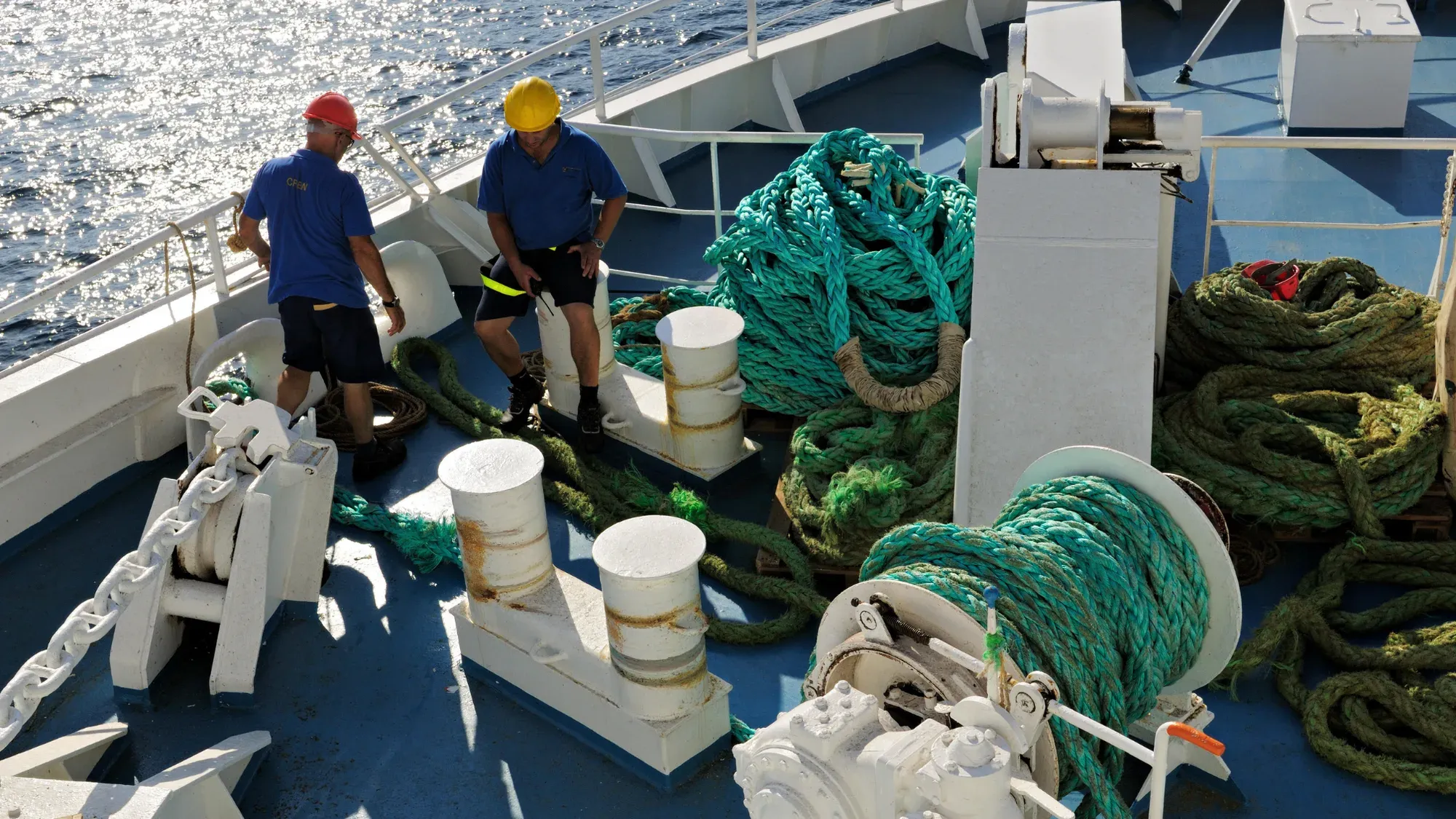
Marine rope and equipment management made simple
A single system to track ropes, record inspections in under 30 seconds, and prove compliance - without spreadsheets or clunky tools.
Scannable is built for marine ropes, chain cables, and equipment.
Scannable helps maritime operations teams and vessel operators streamline gear management, cut down inspection time and reduce safety risks. From mooring, dock and workboat lines to chain cables, marine teams are ditching spreadsheets and switching to a system actually designed for the equipment they use.
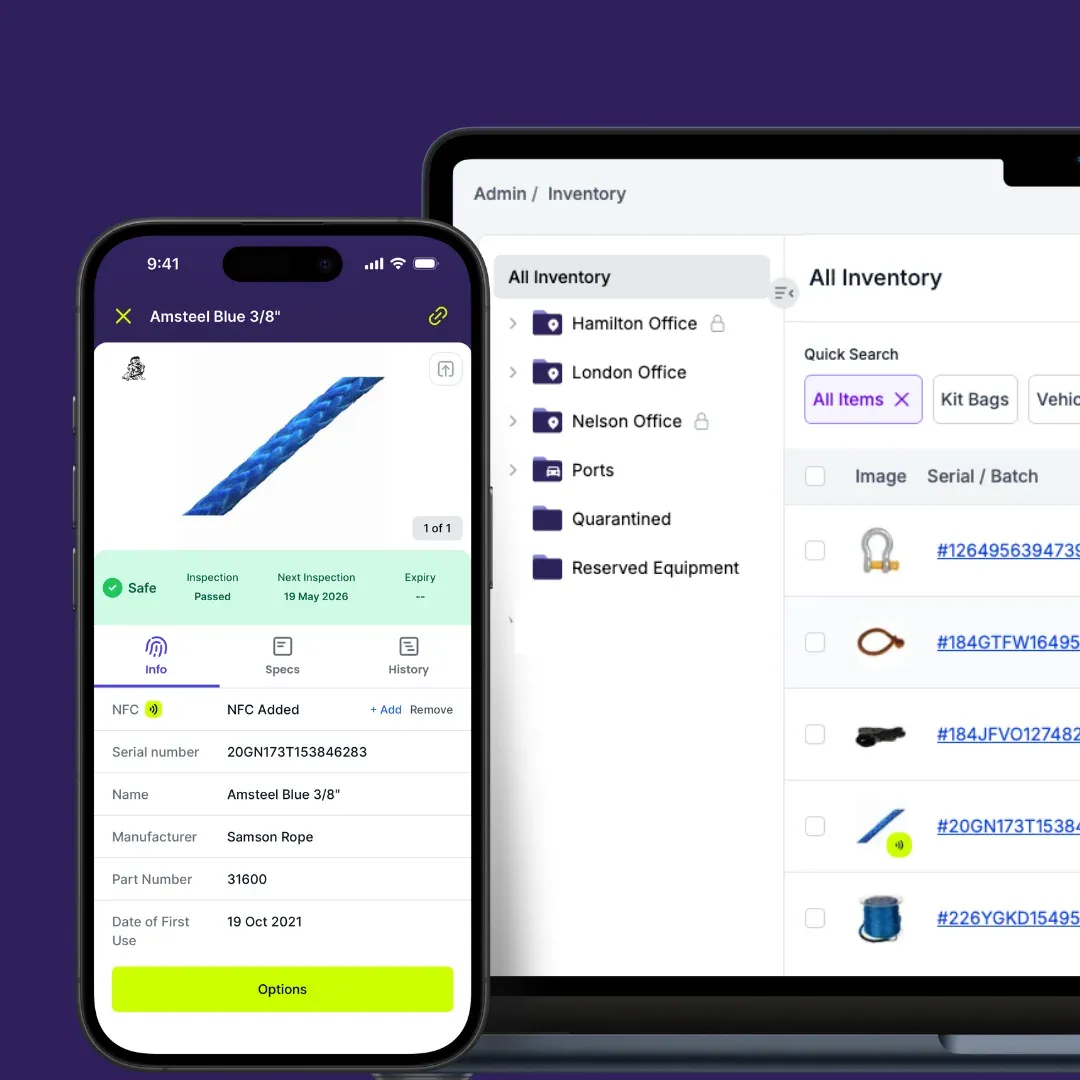
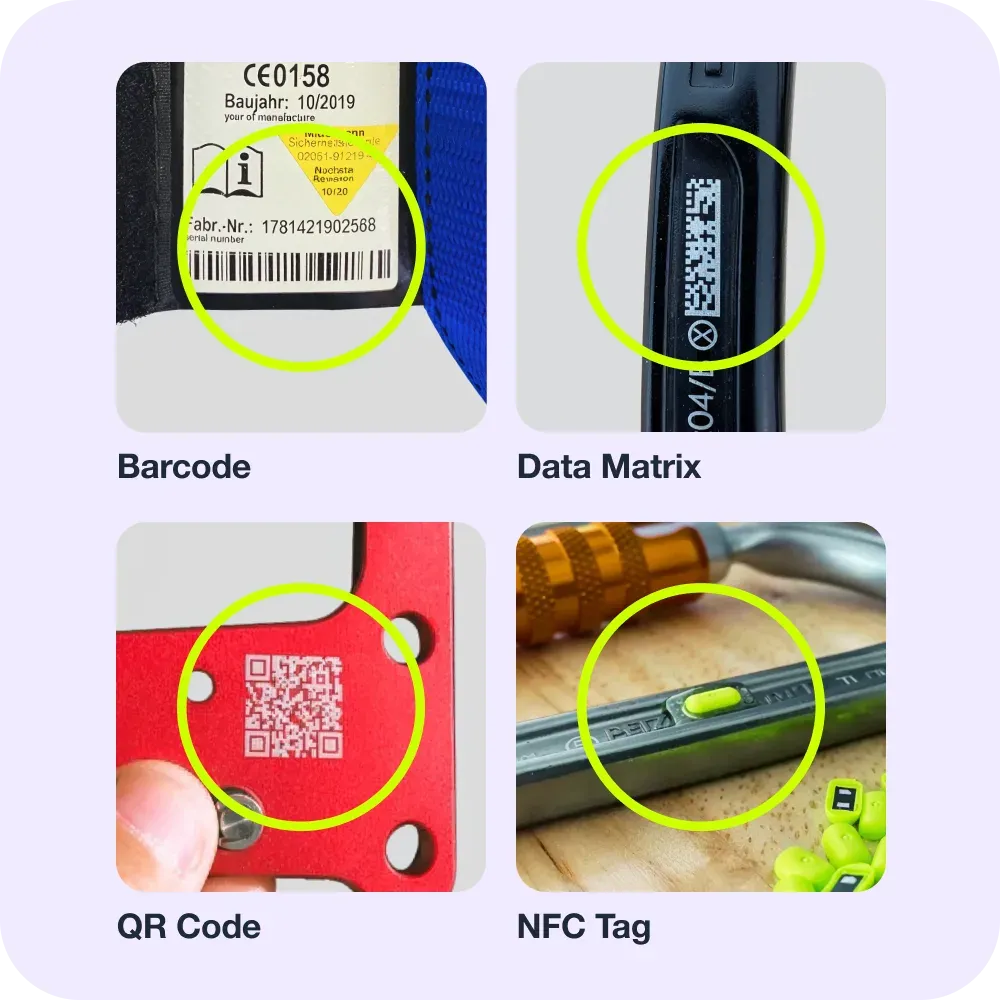
Forget manual data entry & faded serials.
Scannable works with the 2D codes already on your equipment. For equipment without them, use Scannable’s range of retrofit NFC Tags or Smart PPE™ to manage any piece of gear with a tap of your phone. Our global product catalogue holds the data of 70,000+ safety products from over 280 manufacturers, meaning you can add a new item in seconds with a complete technical profile.
Complete equipment management.
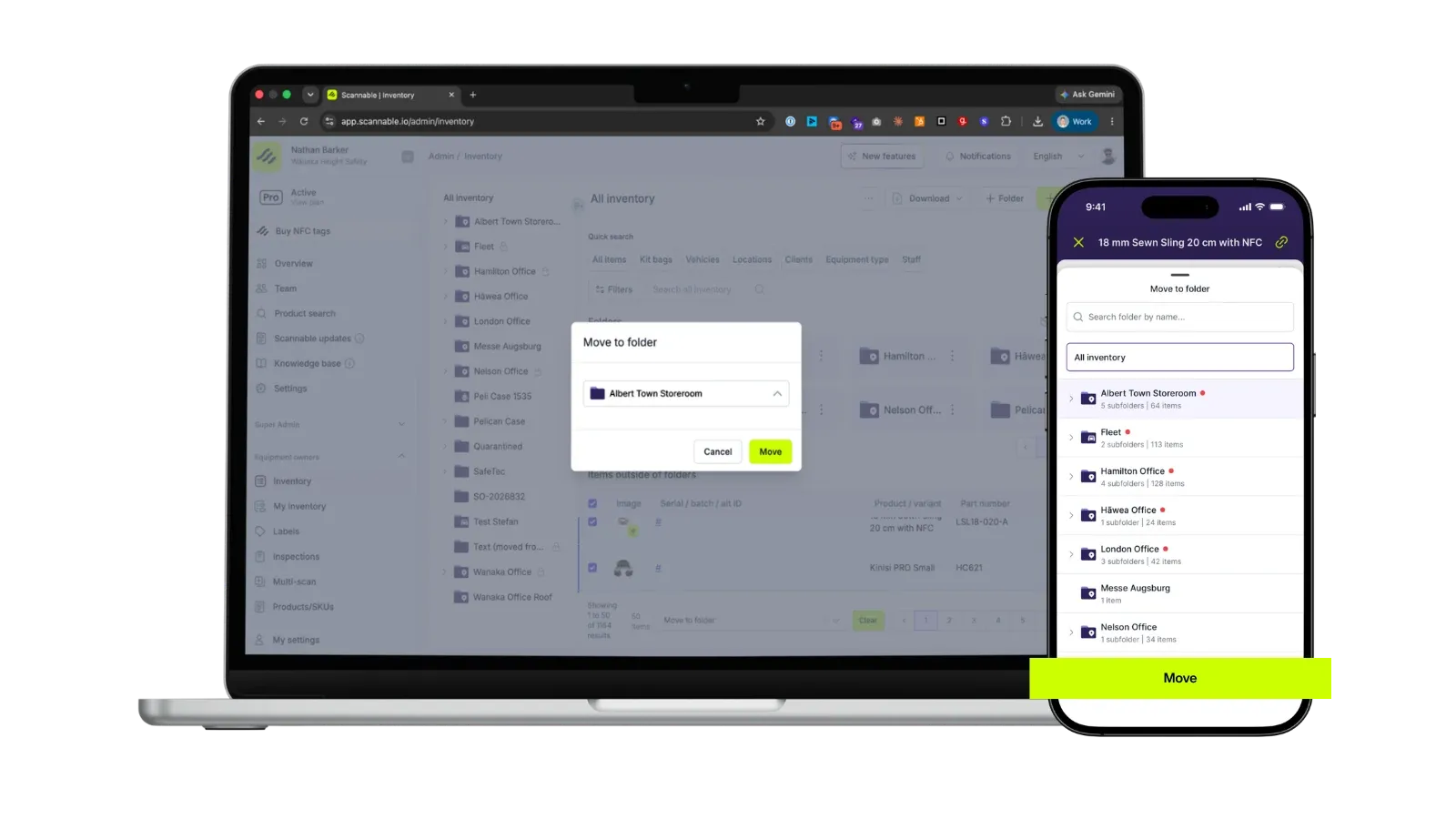
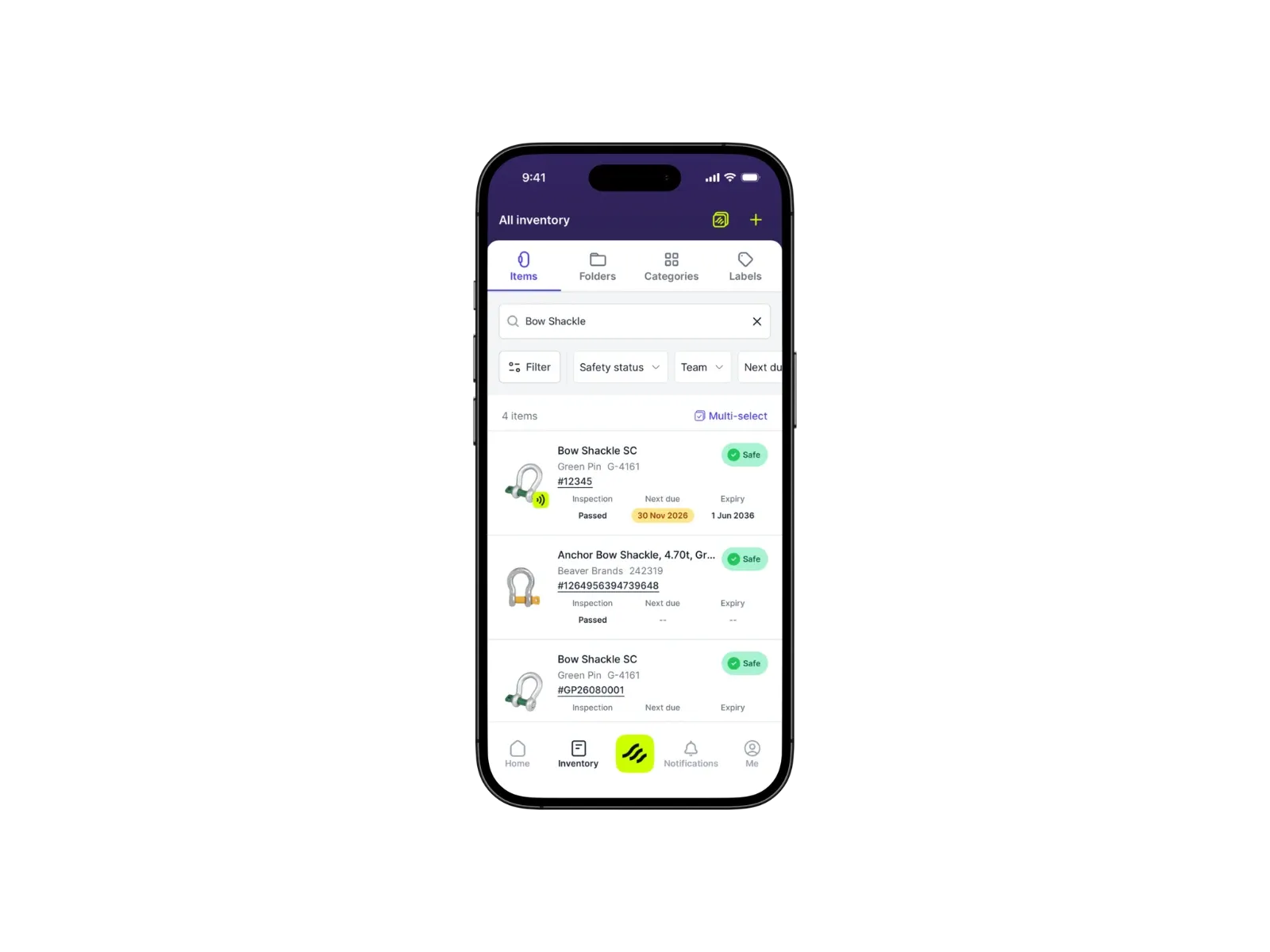
Gain a complete view of your safety equipment, its inspection status, history, and compliance, and provide access to team members, from any location, at any time. Folders allow you to organise and track your equipment in the way that best reflects your team’s reality.
Every inspection is saved against the item with the date, result and inspector, so your records are ready for EN 365 periodic examinations.
From first scan to audit-ready report.
Click through adding gear, inspecting it and pulling a report.
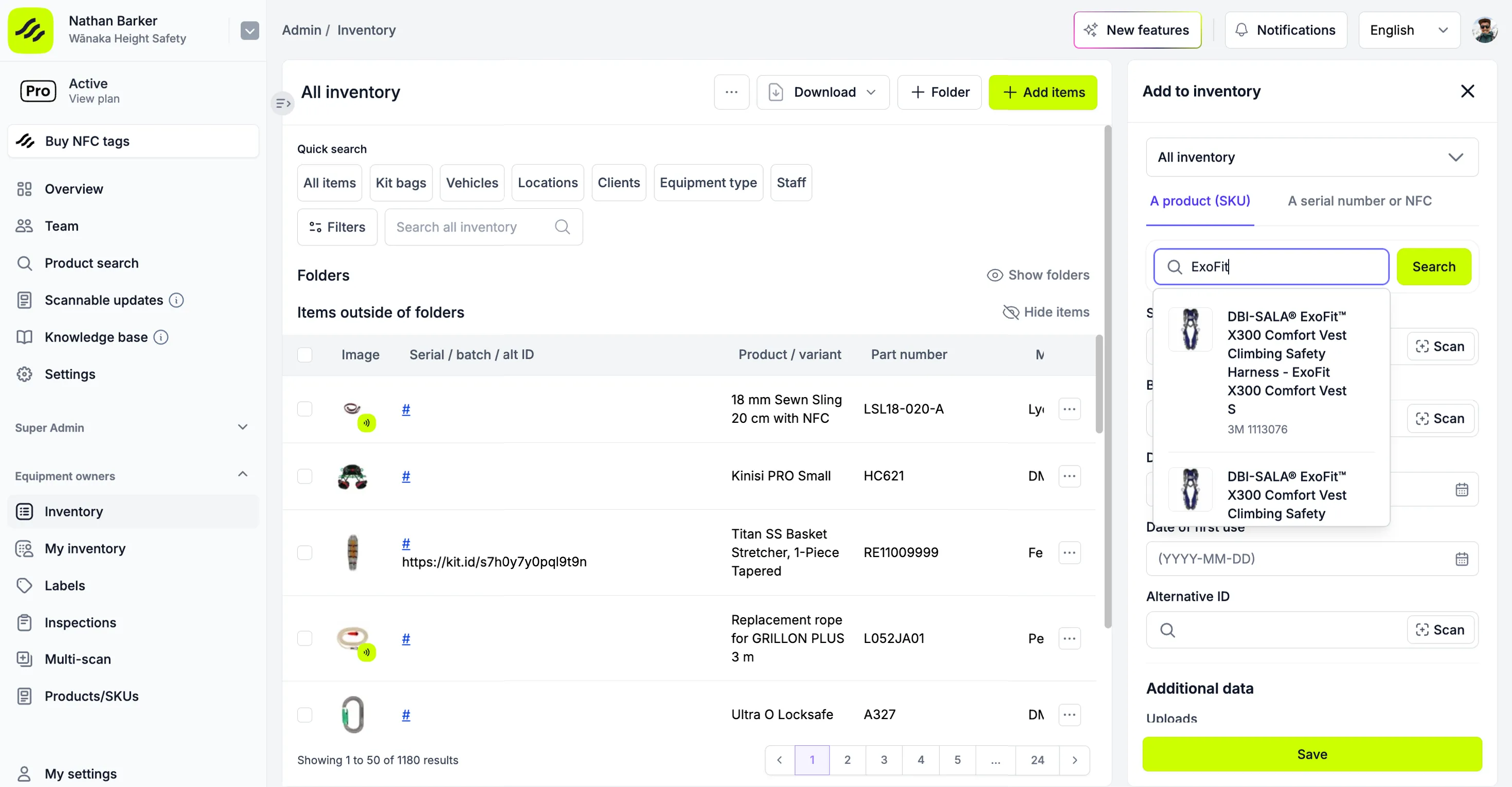
Add gear without typing serials.
Search the global product catalogue of 70,000+ products from 280+ manufacturers and add your full body harnesses, lanyards and self-retracting lifelines with the product details already filled in.
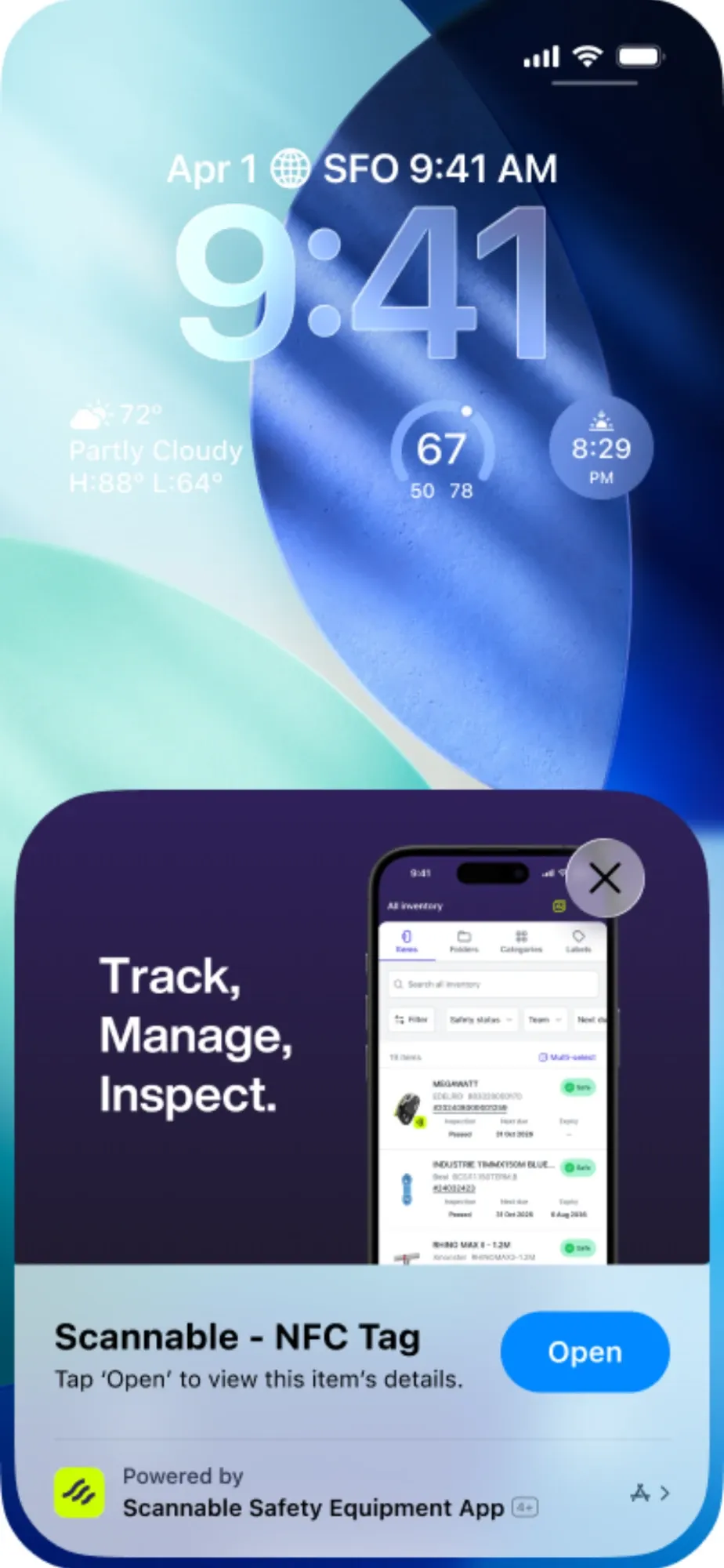
Scan the tag on the gear.
Hold your phone to an NFC tag, or scan the 2D code already on the item, and Scannable finds that exact piece of gear.
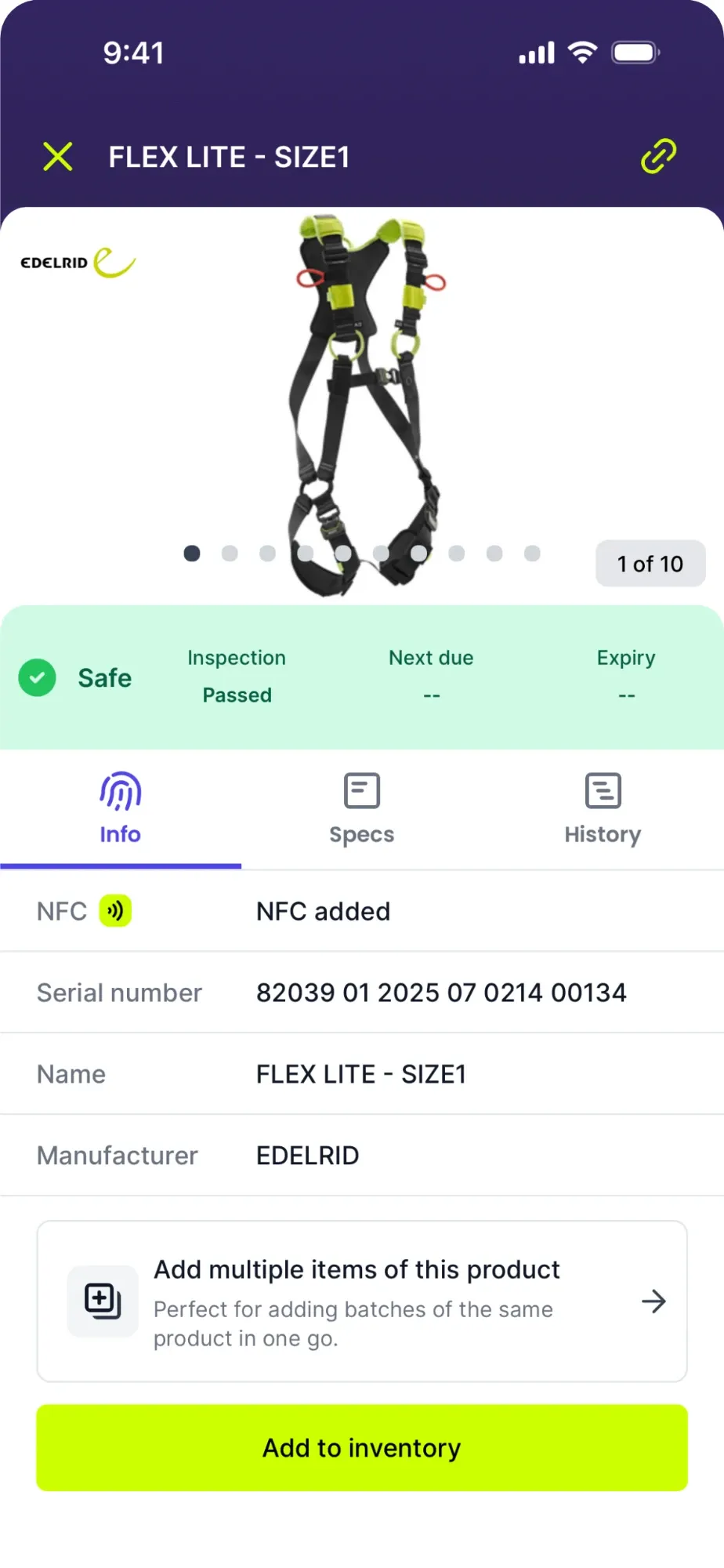
Every item has its own record.
The serial number, manufacturer and product details are already there. Add it to your inventory in one tap.
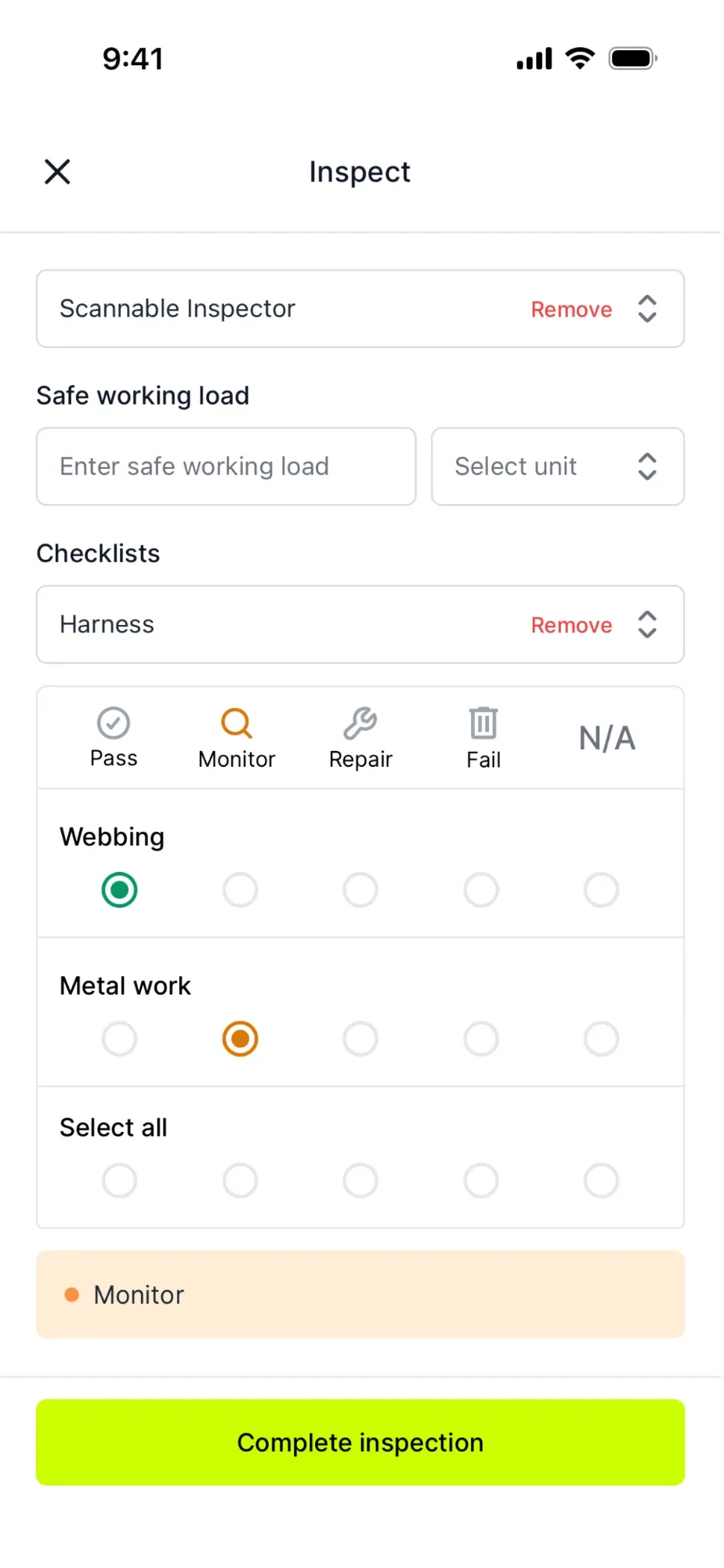
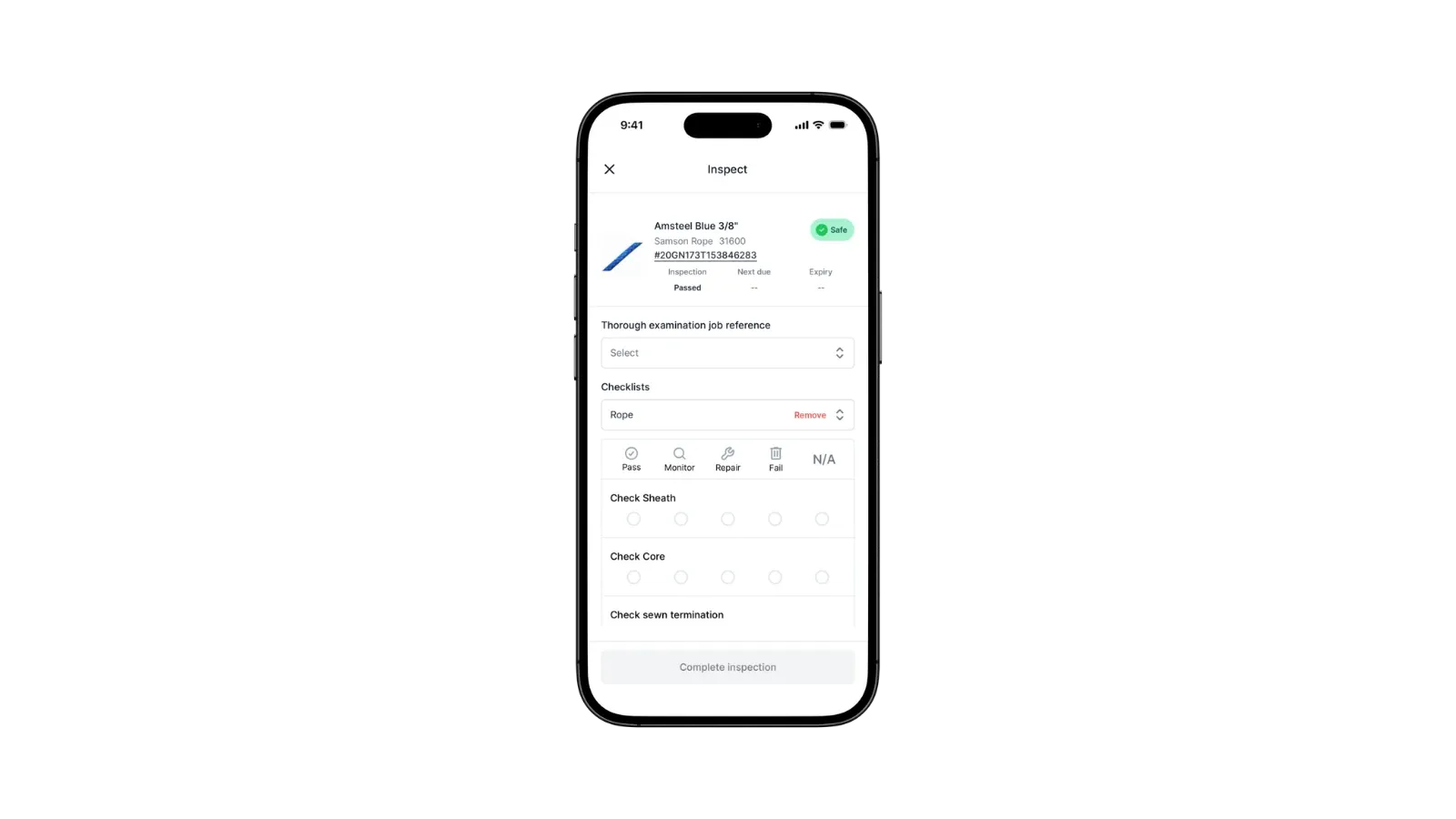
Inspect with a digital checklist.
Work through the checklist on your phone and mark each point pass, monitor, repair or fail.
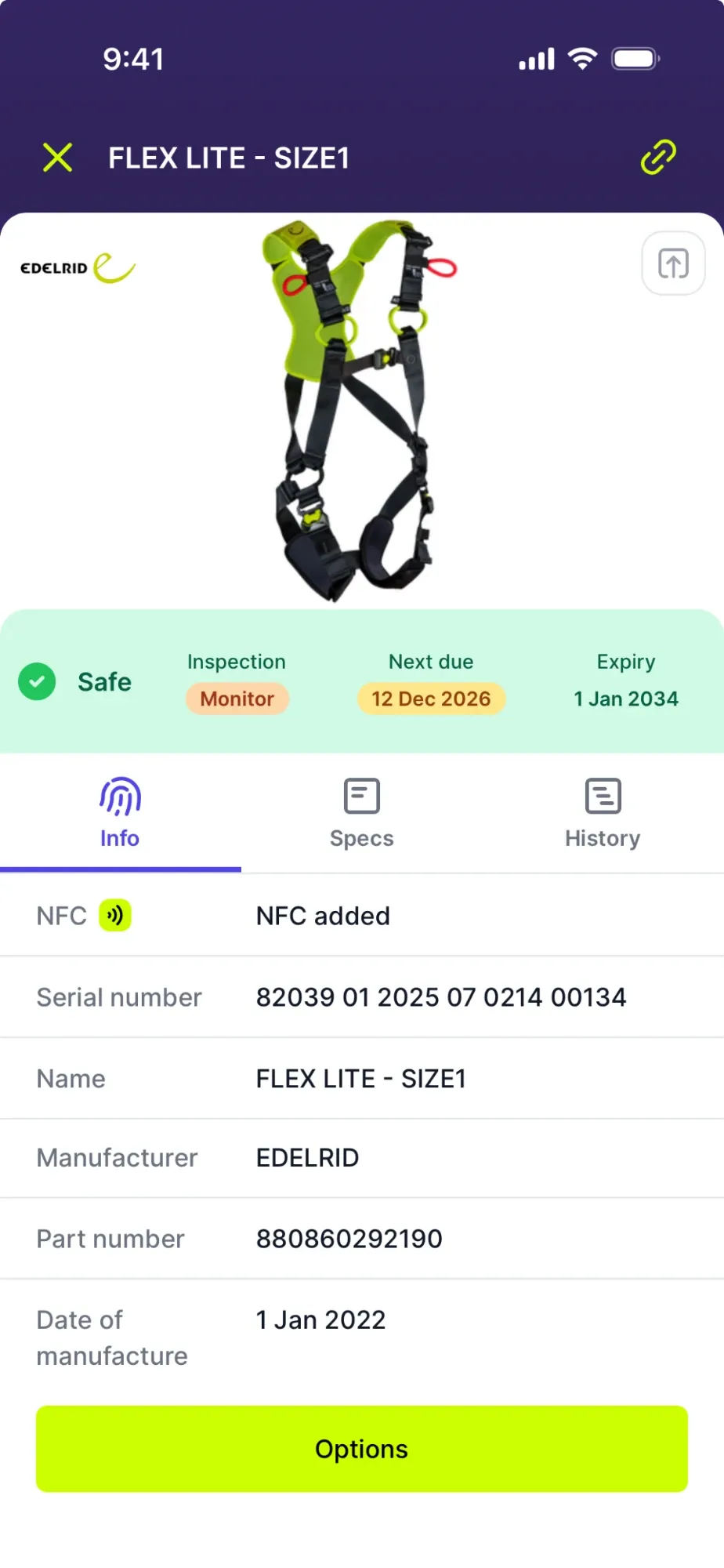
The result is saved to the item.
The date, result and inspector are recorded against the item, and the next inspection is scheduled.
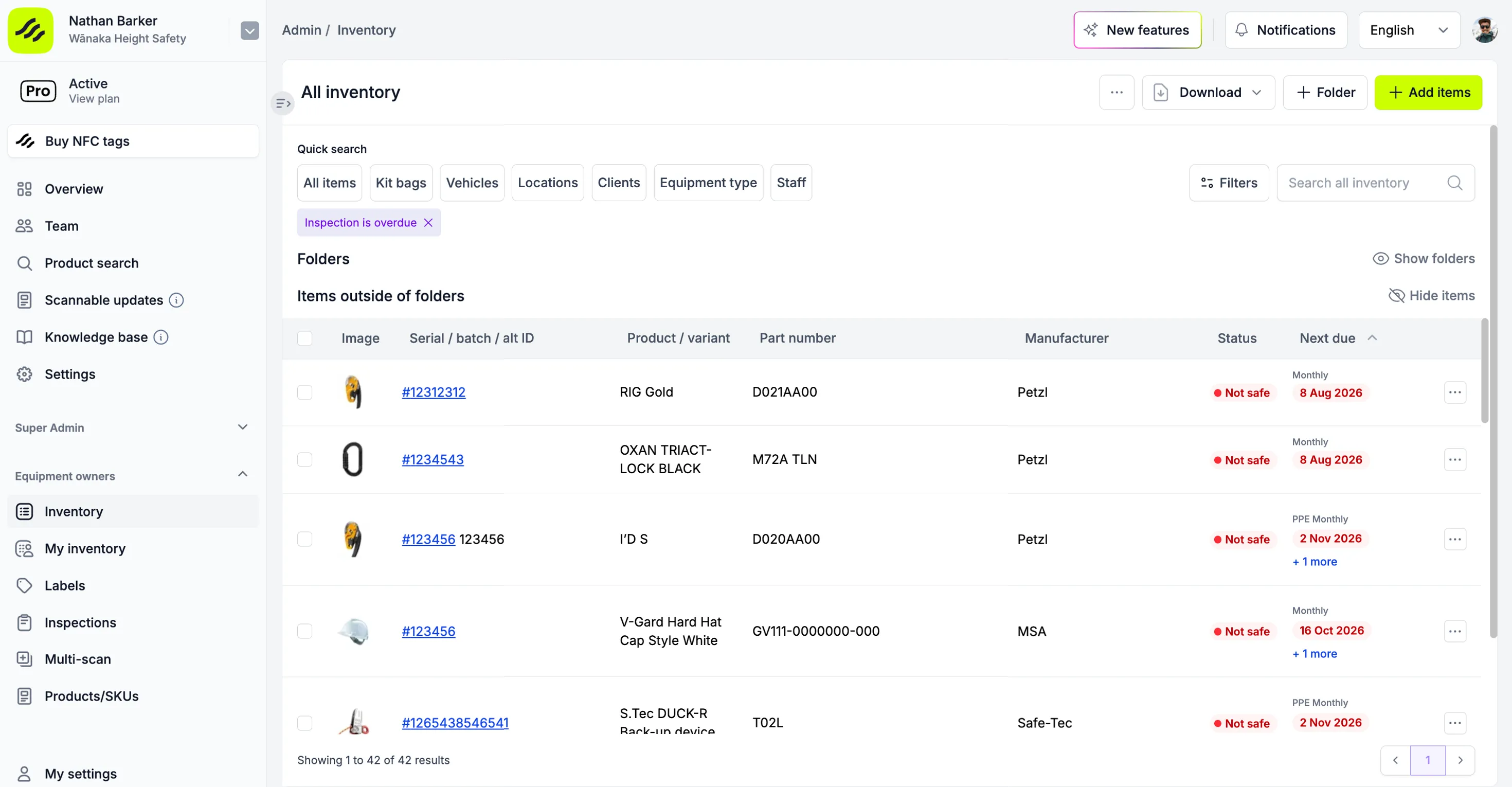
See what's due before it's overdue.
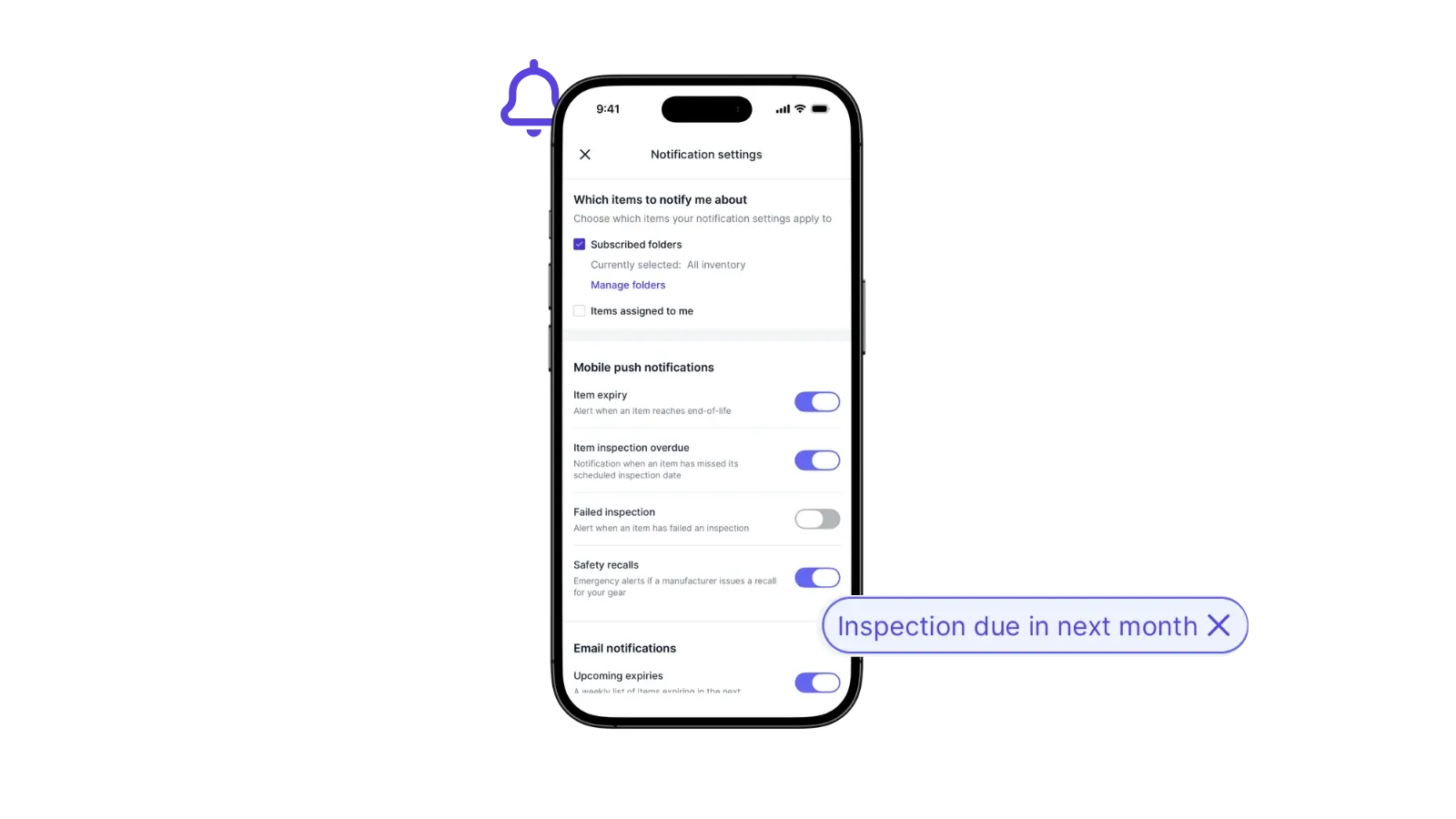
One view of every inspection coming up or overdue across your sites and teams, with reminders ahead of the date.
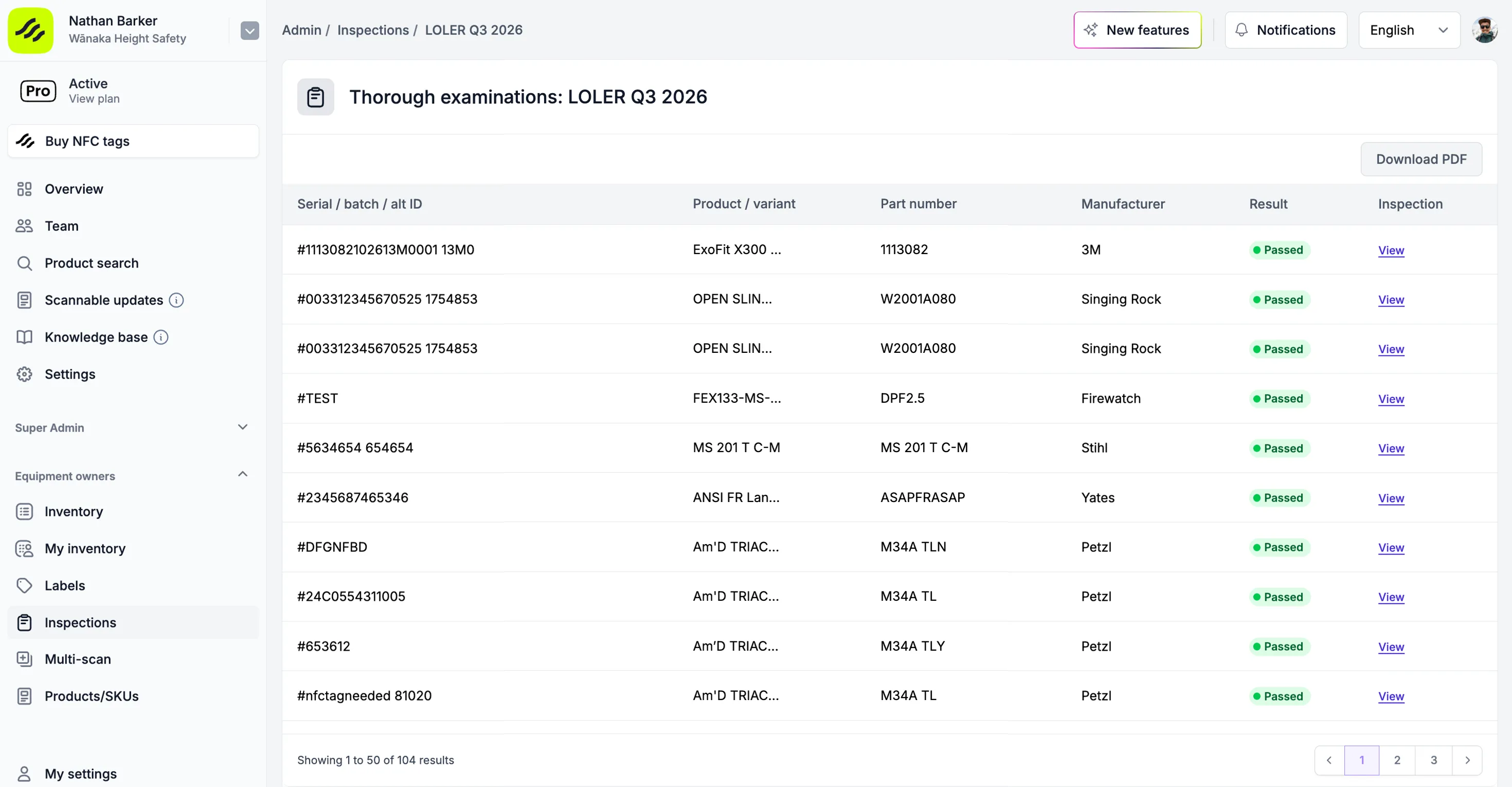
Reports are ready when the auditor asks.
Download an inspection report as a PDF or share it with a link, with the date, result and inspector for every item.
Ready to take the next step?
Scannable is free up to 200 items, no time limits, no user limits. Get started today with your own gear, and see how much it might cost you as your inventory grows.
I’ve been doing this for 40 years and this is the most comprehensive equipment management system I’ve seen".

Charlie Lott
National Manager Equipment & Logistics, Organisational Strategy & Capability Development, Fire and Emergency New Zealand
Quick to get started.
- 1
Download the mobile app or create an account on the web to get started.
- 2
Build your inventory, inspection schedules and invite your team.
- 3
Use our range of online resources and guides to support your setup.
- 4
Start assigning, tracking and inspecting your gear.
Join the new standard of safety
Create an account and try it for free up to 200 items to see how Scannable could work for your team.