

Simple pricing that scales with your inventory size.
Free for up to 200 items. Pay per item, not per user, with every feature included.

Free
up to 200 items.
Over 200 items, it’s $1.00 per item per year.
Price starts at
$1.00per item/year
Let’s talk
Volume pricing from $0.70 per item/year over 10,000 items.
No credit card required


Add your inventory
Scan Smart PPE™ or search for your item, then scan 2D codes to add serials without typing.
Start paying once you go over 200 items.
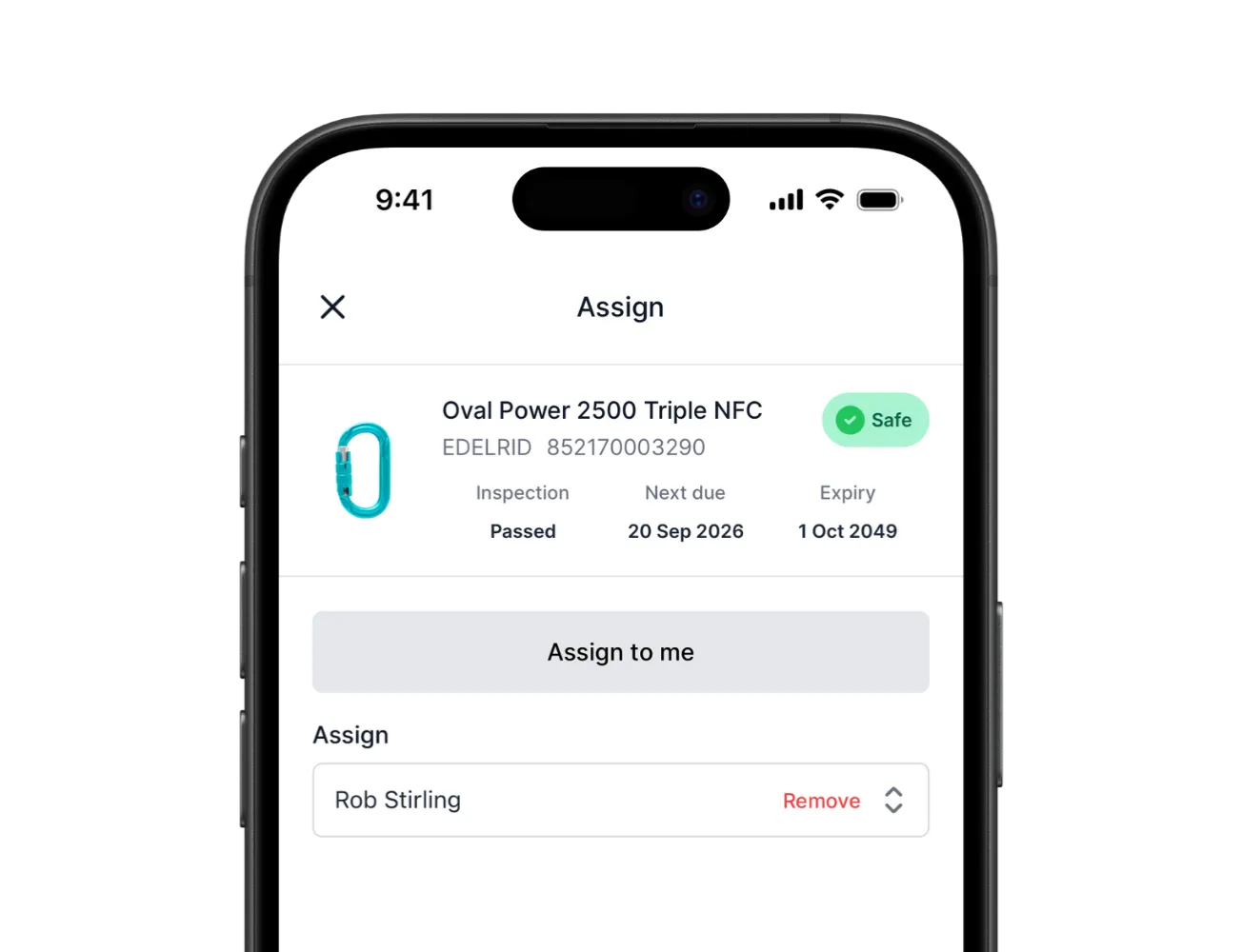
Buy NFC tags
Got inventory items you want to retrofit with Scannable NFC tags?
Select & buy tagsTags are a one-off cost, bought separately.
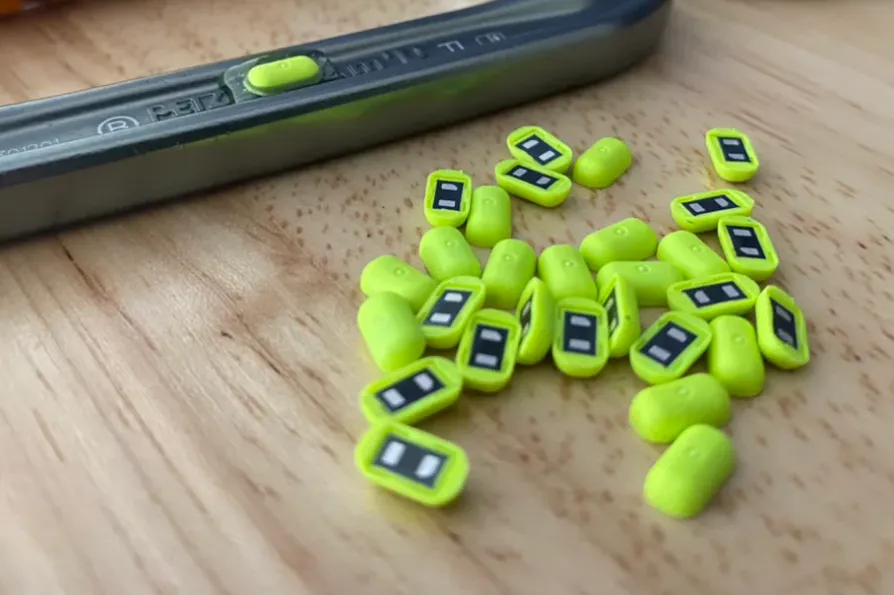
Add your inventory
Start adding your inventory using the app.
We’ll also support your procurement process and onboarding your inventory.
Buy NFC tags
Got inventory items you want to retrofit with Scannable NFC tags?
Select & buy tagsTags are a one-off cost, bought separately.
Add your inventory
We’ll support your full procurement process and get you set up with dedicated onboarding and support, advanced security features and integrations.
Buy NFC tags
Got inventory items you want to retrofit with Scannable NFC tags?
Select & buy tagsTags are a one-off cost, bought separately.
Managing over 1,000 items?
Volume pricing starts here and onboarding is included. Let's talk about your rollout, integrations and procurement.
Whatever your size, you get every feature.
- Unlimited users (safety is a team sport)
- Access to our global product catalogue: 70,000+ items from 280+ manufacturers
- Record and share inspection results
- Scan and manage Smart PPE™ from leading equipment manufacturers
- Scan the 2D codes or NFC tags already on your equipment
- Add NFC tags to your equipment (tags bought separately)
- Shareable PDF reports of inspection results
- Add and create inventory items by hand
- Share inventory items with a unique URL
- ISO 27001:2022 certified
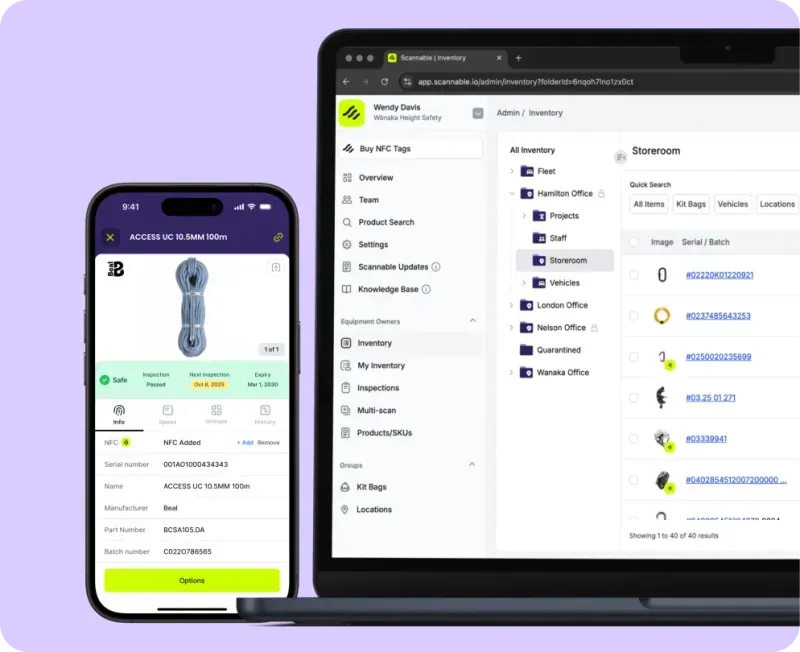
Here's what you get with Scannable.
Three layers, software, hardware and intelligence, that you can adopt on their own or together.
Scannable app
Everything you need to track, inspect and manage your equipment, free up to 200 items for individuals.
- Inventory tracking and management
- Inspection scheduling and reporting
- Assign gear to people, vehicles and locations
Retrofit NFC tags
Stick a tag on any piece of equipment and connect it to your Scannable inventory. A one-off cost to make your equipment phone-scannable.
- Tags for any surface or piece of equipment: rope, metal, textiles and more
- Scan with any smartphone, with no special reader needed
- A one-off cost, bought when you’re ready to connect your equipment
- Fully optional: the software works without tags
Smart PPE™
Safety equipment with intelligence built in, and more efficient than retrofitting: manufacturer-embedded tags that talk directly to Scannable.
- Verified manufacturer data, with no manual entry
- 50+ manufacturer partners
- Full lifecycle data from day one
- Works seamlessly within Scannable
- Saves time, with no need to retrofit
How do customers feel after switching to Scannable?















Scannable is the best way to keep track of any items that need calibration or inspection and that are life-sustaining. The support from the Scannable team and compliance with industry regulations—that's what matters.

I looked at the interface and thought, ‘This is so easy to use.’ It didn’t take much to convince me; it was cheaper than Asset Panda—and better.

Scannable has brought so much efficiency and time-savings to our equipment management. The combination of mobile functionality, integrated manufacturer data, and durable NFC tags makes it a fantastic solution.

Looking to buy NFC tags?
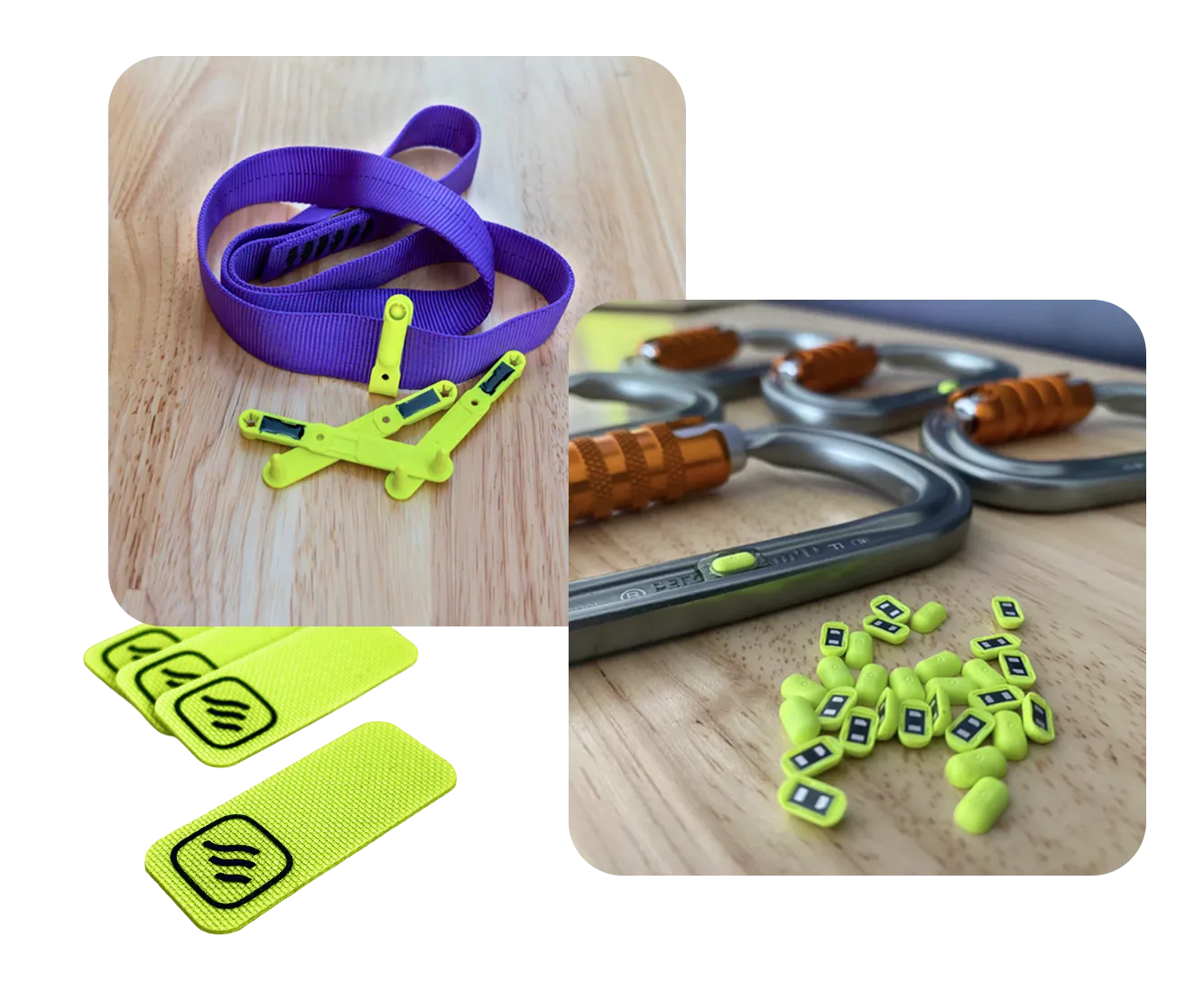
If you need tags for your PPE or safety equipment, look no further. We’ve got a wide range of market-leading retrofit options for all types of equipment, such as slings, ropes and carabiners, and that’s barely scratching the surface.
Frequently asked questions
Pricing & plans
Is Scannable really free?
Yes. Scannable is free for up to 200 inventory items, with no time limit and no credit card required. You get full access to every Scannable Pro feature. Free is designed for individuals managing their own gear; teams who share a bigger inventory pay per item once they go over 200 items.
How does Scannable pricing work?
There is one plan, Scannable Pro, priced per item in your inventory rather than per user. You choose your inventory size and pay accordingly, and your costs increase in steps of 100 items as your inventory grows. Over 200 items, every item in your inventory is billed, at a lower rate per band as you grow. Both monthly and annual billing are available.
Does the price per item go down as I grow?
Yes. Each band of your inventory has its own rate per item per year: 1–1,000 items at $1.00, 1,001–5,000 items at $0.90, 5,001–10,000 items at $0.80, 10,001–25,000 items at $0.70, 25,001+ items at $0.60. For example, 1,500 items = 1,000 × $1.00 + 500 × $0.90 = $1,450 a year. Prices are in US dollars and exclude tax; the estimator shows them in your currency.
What if I need NFC tags?
You can order NFC tags separately from our tag shop, and we’ll ship them out to you. Tags are bought separately from the Scannable software, as a one-off cost rather than recurring billing.
What counts as an “item” for pricing purposes?
An item is any individual piece of equipment tracked in your inventory: a harness, a carabiner, a rope… Each individual item you add counts as one item.
Is there a free trial?
Scannable is free for up to 200 items, with no time limit and no credit card required. You get full access to every Scannable Pro feature, and you only pay once your inventory goes over 200 items.
What if I hit my inventory limit?
You can raise your inventory limit at any time in the web app.
What if I want to cancel my account?
No problem. There’s no minimum commitment, unless we have a custom agreement or term with you. You can cancel at any time directly from within the app.
Getting started
Do I need NFC tags to use Scannable?
No. You can search the global product catalogue of 70,000+ products from 280+ manufacturers, scan the 2D codes already on your gear, or add items manually. NFC tags just make scanning faster.
How do I decide which tags to choose if I want to retrofit my equipment?
Take a look at our tag selector, or send us a message if you’re unsure which tags to choose. We’re happy to help.
Can I save any brand of equipment into Scannable?
Yes. Scannable’s global product catalogue has 70,000+ products from over 280 manufacturers pre-loaded, so you rarely need to enter product details by hand: you just search for your equipment and add it to your inventory. If you can’t find what you’re looking for, you can ask us to add the item to the catalogue, or simply create it yourself.
What does onboarding look like?
Onboarding is included for teams and organisations managing an inventory of over 1,000 items. When you sign up, the Scannable team reaches out to schedule a kick-off call, import your existing inventory spreadsheet, help you set your team up with the right roles, and advise on NFC tags if you need them. Some teams run with it from there; others work more closely with us through the rollout.
Smaller teams can always ask for support through our online chat, or use our knowledge base to answer any questions.
How long does it take to set up Scannable?
Most teams are up and running within a few days, but it depends on your workflow and how you currently manage your equipment.
Can I import my existing inventory?
Yes. If you have existing equipment data in a spreadsheet or other equipment management software, you can import it during onboarding. Subscriptions of over 1,000 items include dedicated onboarding help.
Teams & organisations
How many users can I add?
Unlimited. There’s no per-seat charge: pricing is based on your inventory size, not your team.
Can different team members have different levels of access?
Yes. You can assign roles (admin, manager, member, user) and designate specific users as Competent Persons for Thorough Examinations. You can also set folder-level access for more granular control. See this article on roles for more.
Can external inspectors or auditors access our data?
Yes. You can invite external inspectors to your organisation, and individual inspection reports and inventory items can be shared with a link, with no account needed for the recipient.
Compliance & regulations
Does Scannable help with LOLER compliance?
Yes. The Thorough Examinations feature is built around LOLER requirements: it supports competent person designation, SWL recording, signed certificates of thorough examination, notes, and grouped inspection reporting.
What about OSHA or WHS requirements?
Scannable supports compliance workflows across different regulatory regimes. Inspection records, checklists and certificates are stored digitally and are easy to find for audits.
Can I use Scannable to manage equipment recalls?
Yes. We’ll alert you if any of your saved items are subject to a recall, and the Safety Status feature flags items that have been recalled.
Data & security
Can I export my data?
Yes. Inventory and inspection reports can be exported as PDFs.
Is Scannable secure?
Yes. Scannable is certified to two internationally recognised security standards.
Cyber Essentials: a UK government-backed certification that verifies we have the core technical controls in place to protect against the most common cyber threats.
ISO 27001: the gold standard for information security management. Our security practices, policies and controls have been independently audited and meet rigorous international requirements for how we store, handle and protect your data. See our Trust Centre.
Switching & migration
We’re currently using spreadsheets. How hard is it to switch?
Most customers come from spreadsheets. One of Scannable’s superpowers is our global product catalogue: rather than entering equipment specs by hand, you search for your gear and Scannable pulls in the manufacturer data and specifications automatically. For inventories of over 1,000 items, the Scannable team helps you upload your existing data during onboarding.
Easy to get started in just a few steps.
- 1
Download the app, or create an account on the web.
- 2
Add your gear by scanning or searching. No typing serials, or send us your spreadsheet.
- 3
Set up folders and inspection schedules, and invite your team.
- 4
Start assigning, tracking and inspecting. Free up to 200 items.